

HR Signature Best Practices for Recruiting, Onboarding, and Internal Communication + Tips For Effective Signature Design
You like a senior candidate's profile and send them an outreach email. You write a compelling message, add your signature, and hit send. You've done your part.
But when the candidate scrolls to the bottom, there is a broken LinkedIn link, no photo, and a generic title that says "HR team." The senior candidate hesitates to reply because there's no way they could verify the legitimacy of the email.
Whether it's talent acquisition messages or welcome emails, HR teams communicate with multiple audiences. HR managers handle hundreds of emails every week. Yet, many organizations still use a generic HR signature for all communication needs.
A signature with the right CTA and details increases trust and gives recipients the next steps, increasing response rates.
Read on to learn the best practices for professional email signatures. You'll know how to adapt your signature for recruiting, onboarding, and regular internal communication.
Foundational Elements for HR Email Signatures
An effective HR signature has these elements:
- Name and job title: A specific job title, such as HR Generalist or Recruiter, helps email recipients understand who to contact for further communication. Conversely, a broad HR title could confuse candidates and create mistrust as they research the sender.
- A professional headshot: Using a high-quality photo in the signature allows candidates to connect with you before taking it further. A standard headshot photo is usually 100-200px wide, square crop, JPEG or PNG, and is under 80KB to ensure consistent display across devices.
- A direct contact number: Provide your direct contact number instead of a common HR line. This helps candidates and new hires get in touch when there's an immediate need.
- LinkedIn profile link: A candidate instinctively looks up the sender before replying to the email. A missing or broken LinkedIn profile exposes a verification gap, particularly for senior candidates who vet sources carefully.
- The company logo in brand colors: A professional email signature has the same colors as the brand. It helps candidates quickly identify the organization or look you up on Google. Even when the email copy is well-written, a mismatched or low-resolution logo can weaken trust. Keep the logo at 150-250 px wide, under 100KB, and in PNG format to improve transparency.
- Pronouns: Adding pronouns, such as she/her or they/theirs, immediately after your name prevents misgendering in professional correspondence.
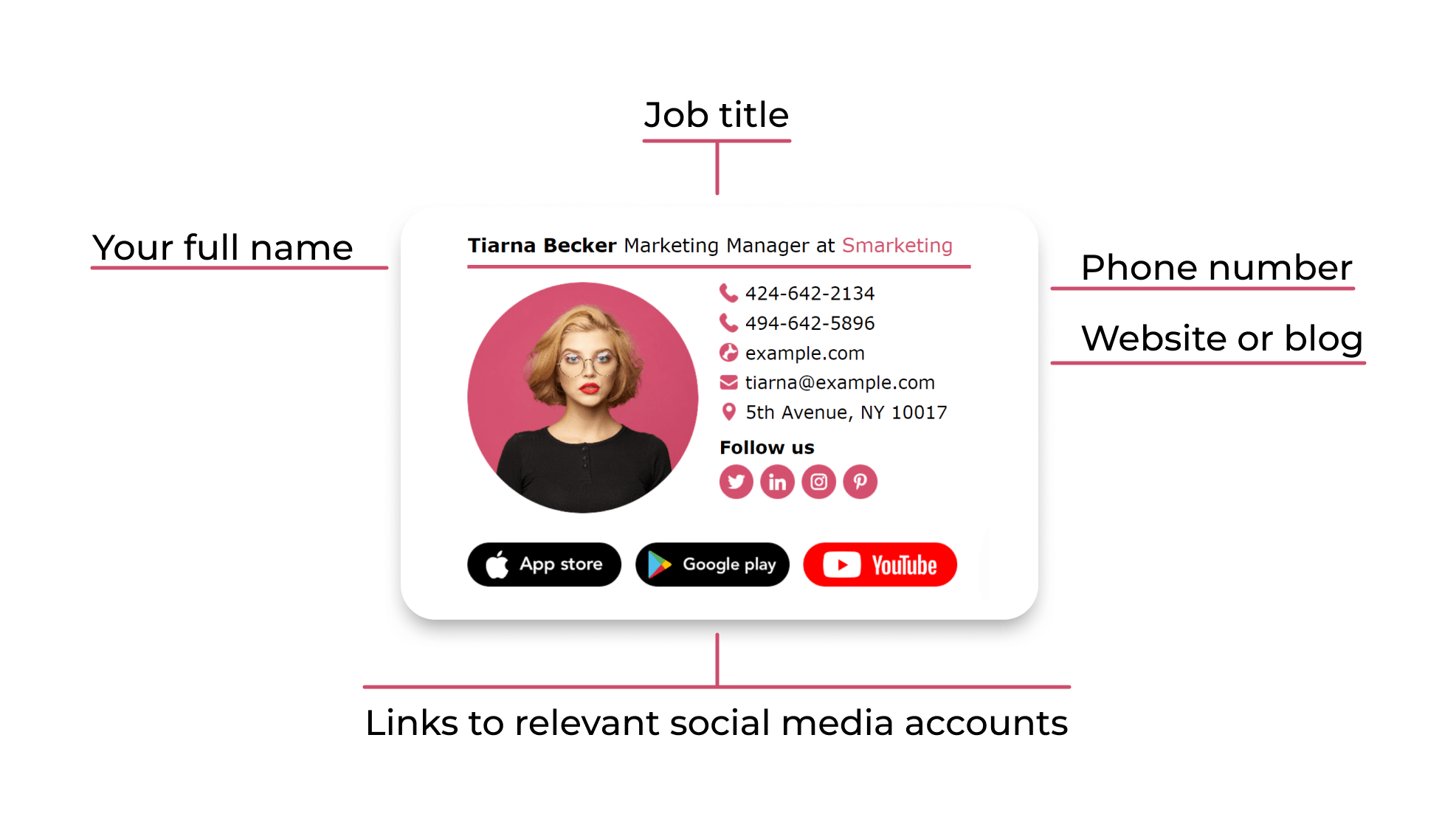
In the next few sections, we'll examine signature best practices for each communication context.
Email Signature for Recruiting: How to Turn Every Email Into a Brand Touchpoint
When you send a recruiting email, you’re aiming for two things: to promote your organization and receive a response from the candidates. For this to happen, your signature must tie to your company's visual identity and have a strong call-to-action.
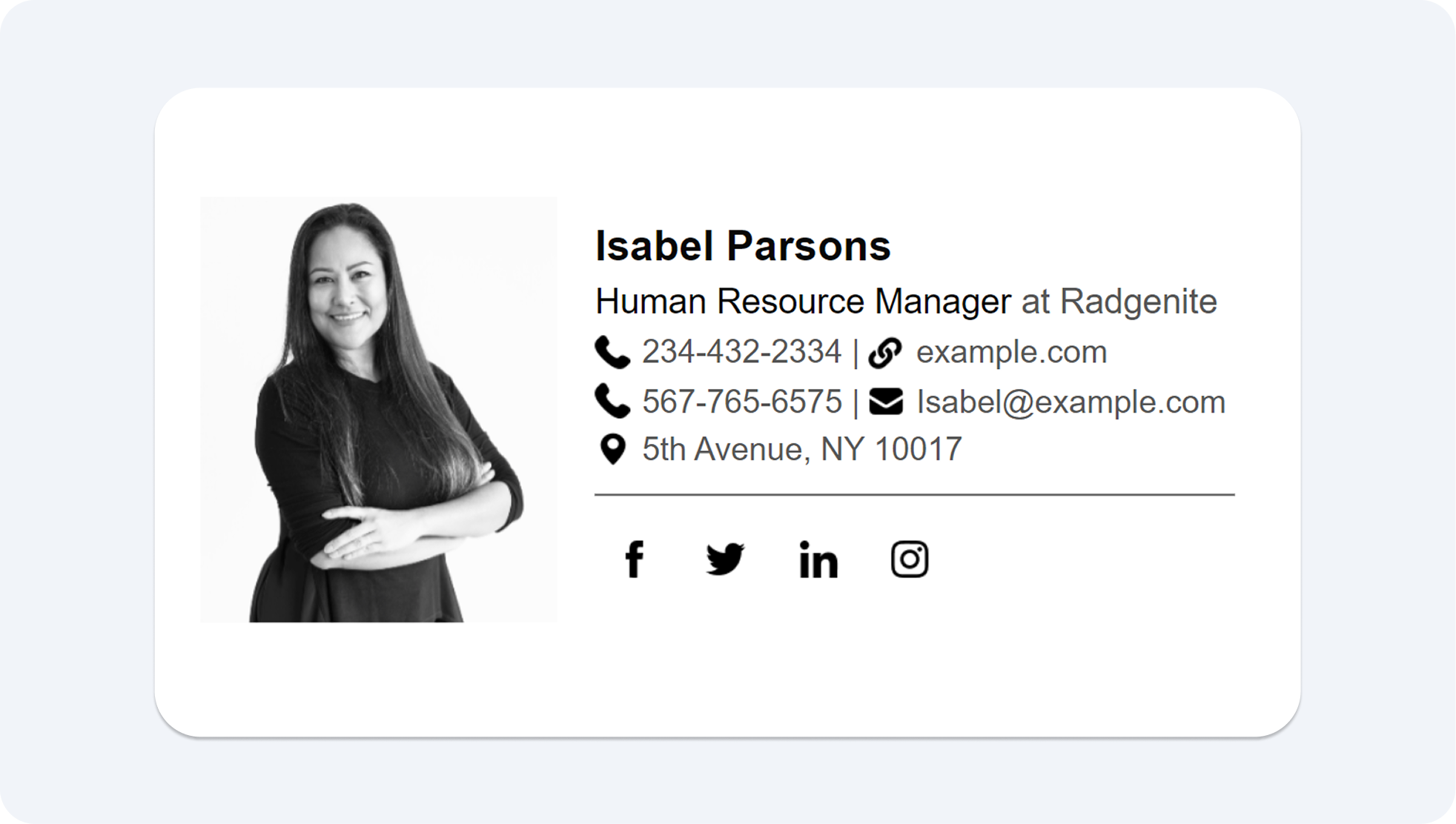
Here's more on how to create a cohesive manager signature for your recruiting emails.
How to Connect Your Employer Brand with Email Signature
For candidates to recognize and associate with your company, your signature must go beyond having contact details and include the following:
- A branded headshot: Knowing a real person is behind the recruitment email gives candidates a reason to engage. Contrary to having generic contact details, a professional photo can boost the chances of candidate responsiveness.
- Social links: Including the company's career pages or the LinkedIn profile is a standard HR signature practice. You may add the company's Instagram handle if your team posts culture content.
- A consistent color palette with the careers page: A candidate who verifies the recruitment email and then checks out the careers page must be able to immediately recognize the brand. Consistent visual identity, such as logos, colors, and typefaces, increases brand credibility.
That said, you want to avoid using your personal social profiles, outdated job titles, or inconsistent photos in your signature. This will likely confuse your recipients and decrease brand trust.
How to Add a CTA to the Recruiting Emails
Here are the steps to add a strong CTA:
- Place a link to the open positions page or a specific job title page.
- Include a meeting link, such as a Calendly link, to speed up the recruiting process.
- Use a 'we're hiring' banner to let candidates know that the roles are open. The banner allows the HR team to contact candidates without having to explain in-depth in the email copy. The standard banner width is 600px and under 150KB, as larger images can inconsistently display across different email clients.
In cases where the banner exceeds the file size, you can compress image files using a browser-based tool.
HR Email Signature for Onboarding
Your signature for the onboarding emails must be different from that of recruiting and internal communication messages. A new hire generally has no HR contact or cross-reference materials in the first few days of their job start date. Your signature must contain the necessary information that helps the new recruit understand the company protocols.
.webp?1781169156)
The onboarding email is also the first impression of you and the company before the new hires meet you in person.
Use the following elements in your onboarding email:
- Full name, pronouns, and a specific job title: This information helps new hires relate to you and the company's culture in their first week. They understand who you are and your specific role in the company, which makes it easier for future communication.
- A direct phone number: Provide your direct contact information, add your contact hours, and availability.
- Calendar booking link: It helps fresh recruits schedule meetings with you without expecting you to initiate contact.
- A link to the onboarding portal: A welcome guide, an IT onboarding checklist, or similar resources answer potential questions new hires might have, reducing back-and-forth email conversations.
- A welcome message: Week one is a critical time for fresh recruits as they adapt to the company norms and work style. A welcome banner can make them feel included and supported. You can then remove this once the onboarding is complete. The welcome banner size follows the standard email signature size: 600px, under 150KB, and PNG/JPEG format.
HR Email Signature for Internal Communication
Even though you send emails within the organization, each email requires a different signature setup. For instance, a company-wide announcement will need a more formal and detailed signature. And a short email exchange with a colleague requires a simpler sign-off.
Knowing this difference helps you create the right impact with your emails. Let's review what goes into your signature in various communication contexts.
Company-wide HR Announcements
Emails that have greater organizational importance, such as policy updates, open enrollment reminders, or cultural surveys, need a credible-looking HR signature. It highlights your role and the authenticity of the email. This helps employees and stakeholders connect to the company's leadership function.
You can build trust by using the following elements in your signature:
- Your full name is used to establish professionalism.
- The HR department label shows who's responsible for the message.
- A direct phone number to allow employees to raise their concerns.
- A link to the HR portal gives teams access to additional resources.
.png?1781169316)
If you have a 'we're hiring' banner attached in the signature, remove it before sending the organizational email, as your current employees are not the right audience in this context.
Every Day Internal Emails
A day-to-day internal email communication within the company does not need a detailed signature. You don't want to send a full-fledged email signature for a light conversation with your colleague. It leads to visual noise and takes away the email copy's importance.
Instead, use a lighter signature with:
- Your name.
- Your title.
- Contact number.
Welcome banners or CTAs are best suited for external communication only. Do not include them in your internal emails. However, retain the HR department label to help recipients identify if the email relates to benefits, payroll, employee engagement, or other functions.
Inclusive Email Signature Practices: Pronouns and Accessible Design
While every email context is different, a few signature elements, such as pronouns and design basics, stay constant across all messages.
Adding a pronoun, such as she/her, to your signature helps set the company's cultural norms. Although not a compliance requirement, it shows employees that the company values inclusive communication. You can include the email signature pronouns immediately after your name.
Right method: John Doe He/Him
Wrong method: John Doe Pronoun: He/Him
If the pronoun usage is a wide set company practice, ensure all team members use a consistent format.
Aside from the pronouns, the email design basics, such as the font and colors, play a huge role with accessibility. An accessible email means:
- Using a 14px font for the email body that increases readability across devices.
- A minimum of 4:5:1 4.5:1 color contrast ratio to make text stand out, helping readers with low-vision or color contrast issues.
- Using text-based signatures because they are accessible by screen readers and assistive technology. And image-based signatures are not.
Inclusive email signature and accessible design are the foundation for all internal and external emails you send. This means your recruiting, onboarding, and internal communication emails must have a consistent pronoun usage and design elements.
Your HR Email Signature is a Strategic Communication Tool When Used Right
When you have different email-sending responsibilities, a tailored signature can speed up the communication and make you sound reliable. It's your chance to prove trustworthiness and create a better employee experience.
Start with the above best practices and build a signature that drives stronger connections and responses.

FAQ
What should I include in my professional email signature?
An HR signature contains the following elements:
- Your specific job title.
- A professional headshot.
- Your contact information.
- LinkedIn company profile page.
- Company logo
- Pronouns.
In addition, you must also include relevant information for each communication type. For instance, you may add a link to the benefits platform for company-wide communication and not in the recruiting email.
Should HR Email Signature be Different for Recruiting and Internal Emails?
Yes, the signature elements are quite different for the two email types. However, the base elements, such as the design or pronouns, stay consistent across all emails. What changes are the CTA and visual components based on the recipients.
For example, you will only include the 'we're hiring' banner in a recruiting email and not in the internal message.
How Do I Add Pronouns to My Human Resources Email Signature?
You can add email signature pronouns right after your name. Remember to include a pronoun, such as she/her, and not spell it out (Pronoun: she/her). Also, ensure all team members follow a similar pronoun usage format.
How do I create a professional signature for emails as an HR manager?
You can use an email signature management tool like Newoldstamp, add the foundational elements, and specific CTAs for different communication types.
What are the Email Signature Best Practices?
These good practices distinguish a well-made signature from a generic one:
- Personalize CTAs according to the communication type and audience.
- Employ consistent brand visuals.
- Include pronouns in all emails.
- Add your direct contact number instead of a general HR line.

