

How Email Signatures Help Build Customer Loyalty Through Better Email Communication
When businesses discuss how to build customer loyalty, they usually focus on product quality, customer service, and reasons to buy again. But the emails customers receive between purchases deserve some attention, too. Especially when those emails leave people wondering who to contact or where to get help.
An email signature can answer some of those questions before a customer has to ask.
Of course, adding your name and contact details won’t make someone a loyal customer overnight. But it can make everyday customer communication easier.
In this guide, we’ll explain how email signatures support customer relationships, what yours should include, and which mistakes are worth fixing.
Quick overview
- Clear, useful replies make it easier for customers to do business with you. An email signature supports that experience by showing who’s responding and how to reach them.
- Most signatures only need a name, role, company details, and a relevant contact option. Add more only when it helps the customer.
- A shared template keeps your team’s emails recognizable, even when several people handle the same account.
- Check links, contact details, and mobile formatting regularly. A signature that looks fine can still send customers to the wrong place.
Why better email communication matters for customer loyalty
Most customers don’t expect every interaction with a business to go perfectly. They do, however, want to understand what’s happening. If a delivery is delayed or a refund is still being processed, a clear explanation gives them something to work with.
A vague reply leaves them guessing. And often, it means they have to write another email.
That’s why effective email communication deserves a place in your customer retention efforts. You might have a good product and competitive pricing, but dealing with your team should also be reasonably easy.
Before sending a customer email, check whether it answers three questions:
- Have we addressed what this person actually asked?
- Do they know whether they need to do anything next?
- Can they tell who to contact if the issue continues?
Let’s be realistic: answering these questions won’t make up for a product that keeps failing. But it can prevent an ordinary service issue from becoming a much more frustrating customer experience.
There’s also the question of whether customers receive your replies at all. If they keep chasing updates you’ve already sent, it’s worth checking for delivery problems. This comparison of the best email deliverability tools can help you choose a tool to investigate.
Eventually, customers learn what to expect from your business. If your emails are consistently helpful, they know they can come to you with a problem and get a sensible response. A clear email signature helps by identifying the person behind that response.
How email signatures strengthen customer relationships
You don’t have much space in an email signature. But you usually have enough to introduce the sender, offer a way to get in touch, and show which company they represent. Each of these details serves a practical purpose.
Make every sender recognizable and approachable
Imagine receiving an update about your account from someone you’ve never spoken to. The message makes sense, but it ends with “Thanks, Mike.” Is Mike your new account manager? Someone from billing? Should you send your next question to him?
A proper introduction in the email would help, of course. The signature can keep that information available in later replies, too.
Start with a full name and a job title customers can understand. Internal abbreviations may mean something to your team, but they won’t necessarily help anyone outside it.
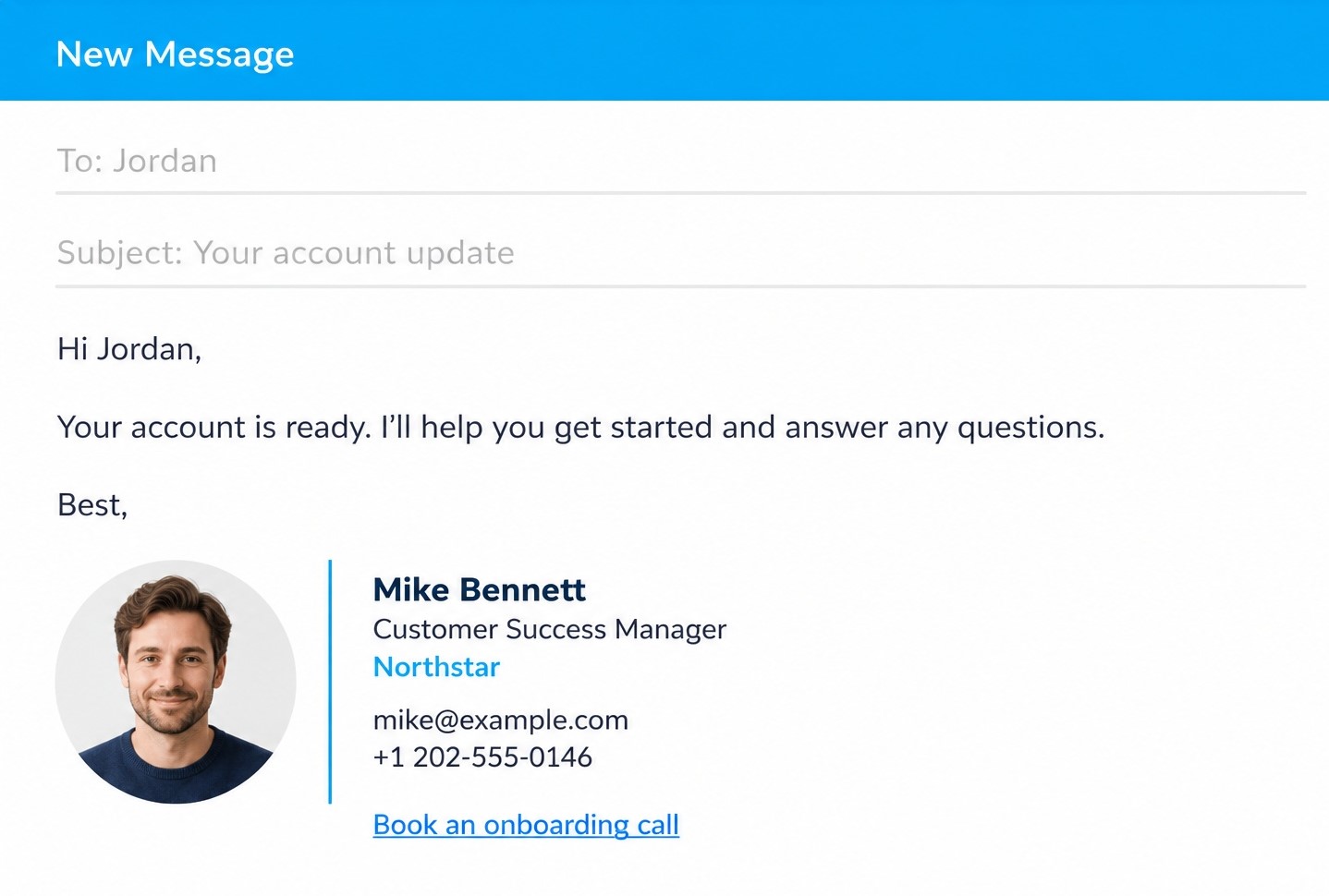
Then make the company connection clear with its name and familiar branding. If personal relationships are important in your work, consider a professional headshot as well.
These details give customers some context, particularly when a new colleague joins an existing conversation.
Help customers reach the right person
Sometimes, customers come back to an old email because they need help with something new. The person who handled their purchase may still be their only familiar contact at your company.
That’s understandable. They already have a conversation to return to.
But you can make it easier for them to find the right help through your signature:
- Include your role so they know what you handle.
- Add a clearly labeled contact route for common requests.
- Keep those details current when responsibilities change.
The idea is to give customers enough information to choose their next step without having to study your company structure.
Still, a signature can only do so much. If someone sends you a question meant for another team, help them make that connection. Forwarding the request with a brief explanation is more useful than telling them to find the right address and write it all again.
Keep communication consistent across your team
You’ve updated your company logo, but some employees still use the old one. Others have copied a signature from a colleague and changed a few details. After a while, you end up with several versions that nobody really manages.
It’s easy to see how this happens. Email signatures are rarely anyone’s first priority.
But customers may hear from several people during onboarding or while resolving a problem. Keeping the same company name, logo, and layout across those emails helps them follow the conversation, even when the sender changes. That consistency also supports your digital reputation, since customers form an impression of your business through everyday emails, too.
A shared template gives everyone a starting point. From there, each person can add their own role and relevant contact information.
Just make sure someone takes responsibility for updates. Otherwise, even a carefully designed template will gradually become another collection of outdated signatures.
What to include in a customer-focused email signature
Before adding anything to your signature, think about what a customer might need after reading your email. They already have your message. The signature should provide useful details without making them read another paragraph.
For most customer-facing roles, a few elements are enough:
- Full name and job title. Use a title that someone outside your company will understand.
- Company name and logo. Keep the logo small enough that it doesn’t dominate the email.
- One relevant contact option. Choose a direct number, support link, or booking link based on your responsibilities.
- A useful website link. Send customers to a page that helps with the conversations you usually have.
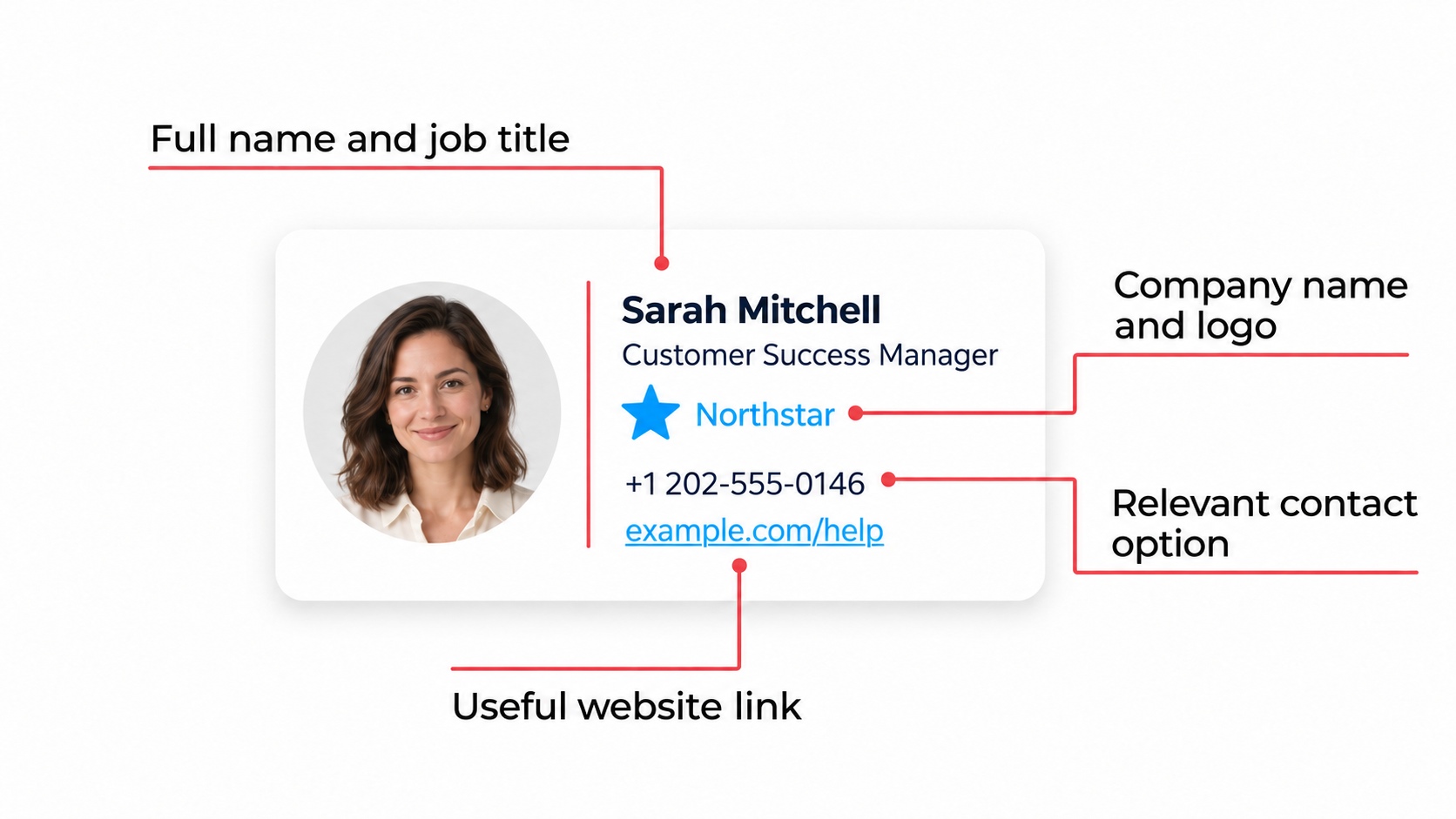
You can add something extra, but give it a reason to be there. A link to a getting-started guide could be useful in onboarding emails. A banner advertising another product may be less welcome when someone is waiting for help with their current purchase.
And you don’t have to fill every available space. If an element doesn’t help the customer identify you, contact you, or find relevant information, consider leaving it out.
Once you’ve put the signature together, send yourself a test email. Open it on your phone, check the links, and see whether you can read the details without zooming in. A signature that looks good in the editor still needs to work in an actual conversation.
Email signature mistakes that weaken customer trust
Most signature mistakes happen because someone sets everything up once and never checks it again. The signature keeps going out, even after phone numbers, responsibilities, and company details have changed.
Some issues are just untidy. Others can actually prevent customers from getting help. If you’re wondering how to improve email communication, start by checking your signature for these common mistakes:
- Outdated contact details. A disconnected number or an unmonitored mailbox sends customers to a dead end. Check these whenever someone changes roles or leaves the team.
- Too many competing options. Several numbers, banners, and social icons make customers work out what matters. Remove anything that has no clear purpose.
- Essential details saved as an image. Some email clients block images. If your whole signature is one graphic, customers may not see your contact information.
- Poor mobile formatting. Tiny text, oversized logos, and tightly packed links can make an otherwise useful signature difficult to use.
- Promotions that don’t fit the conversation. A sales banner beneath a reply about an unresolved complaint can come across as careless.
- Old awards, expired offers, or abandoned social profiles. These additions need maintenance, too. If nobody checks them, they’re better left out.
This list is by no means exhaustive and complete. You may encounter other types of mistakes in signatures in your emails to customers. The main thing is that you’d recognize those and try to avoid them at all costs.
The easiest check is to send a test email to a colleague and ask them to use every contact option. Don’t just ask whether it looks good. Ask whether everything takes them where they expected to go.

Final thoughts
If your signature hasn’t been checked in a while, send yourself an email and try using it as a customer would. You may find that everything works and conclude that your current client communication is good enough. Or you may discover a booking link nobody has updated since a colleague left.
Fix what needs fixing, then check the rest of your team’s signatures, too.
There’s no need to turn this into a major project. The aim is to make everyday conversations easier to follow and help to find. Those are useful improvements to carry into every customer email.

