

How to launch email signature banner campaigns faster with competitor insights
Email signatures look simple, but they sit on a high-volume channel. When your marketing team rotates banners in signatures, timing matters. If a competitor changes pricing, shipping terms, or bundles, you often need to react fast.
Most teams still do this by hand. Someone checks a few sites, drops notes into Slack, and a designer updates creative. It works until you miss a change, or your checks start getting blocked.
Using competitor data in your email signature banner strategy
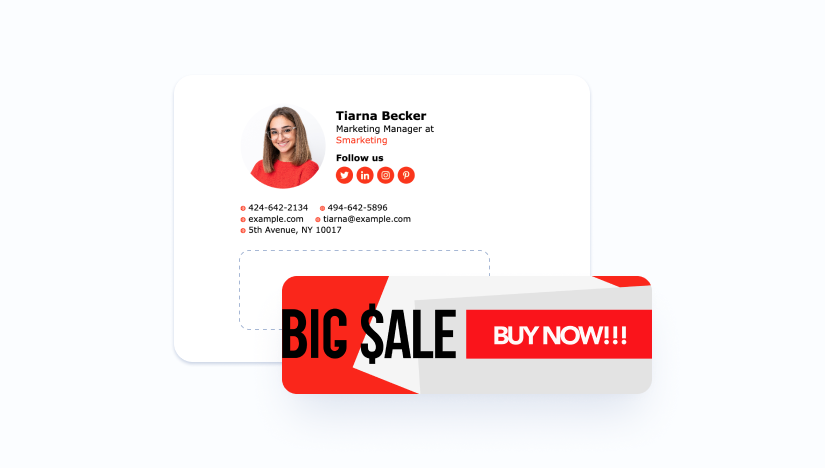
Signature banners perform best when the message is specific. “Free onboarding this month” beats a generic brand banner. Competitor monitoring helps you keep that message grounded in what buyers see elsewhere.
A practical target is the “decision page” set. That includes pricing pages, plan comparison tables, seasonal promo pages, and checkout or shipping pages for e-commerce. You are not trying to copy a site. You are trying to spot shifts that change your offer, positioning, or urgency.
Start with a clear definition of “change.” A price string changing counts. A promo badge appearing counts. A plan name changing counts. A blog post does not, unless it drives a homepage banner or paid landing page.
Build a monitoring feed your marketers can use
Step 1: Capture the right page state
Many pricing pages render on the client side. If you fetch HTML only, you can miss the real numbers and labels. Use a browser-based renderer when the page depends on scripts, cookies, or locale settings.
Keep the render settings consistent. Fix the language, region, and currency when possible. Save the final DOM snapshot and a screenshot for quick review.
Step 2: Normalize before you compare
Raw pages contain noise. Timestamps, rotating testimonials, and A/B tests create false alerts. Strip known volatile blocks and focus on stable selectors like plan cards, feature rows, and checkout totals.
Then diff what remains. Trigger an alert only when a meaningful field changes. Route “unknown changes” to a review queue instead of blasting the team.
Step 3: Deliver changes as a simple brief
Marketers do not want HTML diffs. They want “what changed, where, and what to do.” Pair the old and new values, add the page URL, and attach the latest screenshot.
From there, your signature banner workflow becomes repeatable. One person approves the message. One person updates the banner. IT deploys it across the team.

Use proxies to reduce blocks and keep checks consistent
Once you monitor daily or hourly, many sites will throttle you. Some will serve different content to obvious bots. Others will challenge traffic that comes from a small set of IPs.
Proxies help you spread requests and match the traffic profile the site expects. They also help you hold a stable session when a site ties pricing to a cookie, a cart, or an account state. If you need a clear primer, Byteful explains how residential proxies work.
Pick the proxy type based on the page behavior. Datacenter proxies fit fast, low-risk crawling where blocks are light and the content is mostly public. Residential proxies fit pages that watch for bot signals and expect real household IPs.
Static residential (ISP) proxies help when you need repeatable checks from one trusted IP, like a logged-in B2B portal. Mobile proxies fit mobile-first targets and app-backed flows where carrier traffic blends in better.
Rotation strategy matters as much as proxy choice. Rotate too often and you break sessions. Rotate too little and you trigger rate limits. Use longer sessions for checkout and account pages, and shorter sessions for simple public pages.
Stay compliant and avoid collecting risky data
Competitor monitoring should focus on public commercial signals, not personal data. Do not scrape user profiles, reviews tied to identities, or any page that exposes contact details you do not need. Store only what supports the change alert.
Respect access controls. If a page requires a login, treat it as higher risk. Get internal approval, document the reason, and restrict who can run or view the data.
Throttle on purpose. Set request caps per domain, add jitter between hits, and cache results when a page rarely changes. This reduces load on the target and stabilizes your own pipeline.

Make the output easy to action in your banner workflow
A monitoring feed becomes useful when it closes the loop. Tie each alert to a recommended banner action, like “match shipping promise,” “highlight trial length,” or “push annual plan incentive.” Keep the actions templated so you move fast.
Also track which alerts led to a banner update. Over time, you will see which competitors and pages drive real work. You can prune the rest and keep monitoring lean.
If you need ethically sourced proxies for web scraping and AI agents, Byteful is a UK-based web data infrastructure platform. It provides residential, mobile, static residential (ISP), and datacenter proxies with API-first tools for data collection and automation.

