

How to Add Pronouns to an Email Signature: Examples & Best Practices
|
The way people think about gender is becoming more inclusive, moving beyond just "male" and "female." This means people are using pronouns like "they/them" and "she/her" to show how they identify. You might see these pronouns on social media profiles, business cards, or even in professional email signatures.
1. What Do Pronouns in an Email Signature Mean?
2. Why Include Pronouns in Your Email Signature?
3. How to Add Pronouns to Your Email Signature
4. Pronoun Etiquette for Email Signatures: What to Do and Avoid
5. Pronouns in Email Signature: Examples and Formats
6. How to Add Pronouns to Company Email Signatures with Newoldstamp
What Do Pronouns in an Email Signature Mean?
What are Pronouns in an Email Signature? Pronouns in an email signature are the words people prefer when others refer to them, such as he/him, she/her, or they/them. These pronouns indicate gender identity and promote respectful communication.
Here are some common pronouns and who they might be used for:
- He/Him/His: For someone who identifies as male and wants to use pronouns for a male email signature.
- She/Her/Hers: For someone who identifies as female. (female pronouns for email signature)
- They/Them/Their: For someone who identifies as gender-neutral or someone who doesn't identify as either male or female.
Other pronouns also exist, and some people even use a combination of pronouns. For example:
- Ze/hir/hirs can replace both he/him/his and she/her/hers.
- Ey/em/eirs can replace both he/him/his and she/her/hers.
.png?1790837365)
source: Ualberta
➖ “Each team leader is responsible for his/her team.”
➕ “Each team leader is responsible for their team.”
So, why does sharing gender pronouns at work matter?
Why Include Pronouns in Your Email Signature?
Using someone's preferred pronouns isn't just about grammar; it's about respect and creating a welcoming environment.
Adding pronouns also:
- Helps transgender, non-binary, and gender non-conforming colleagues feel comfortable sharing their own pronouns.
- Shows that gender assumptions are not based on names or appearances.
- Encourages inclusivity without forcing anyone to share personal information.
Even cisgender people who add pronouns help normalize this practice for others.
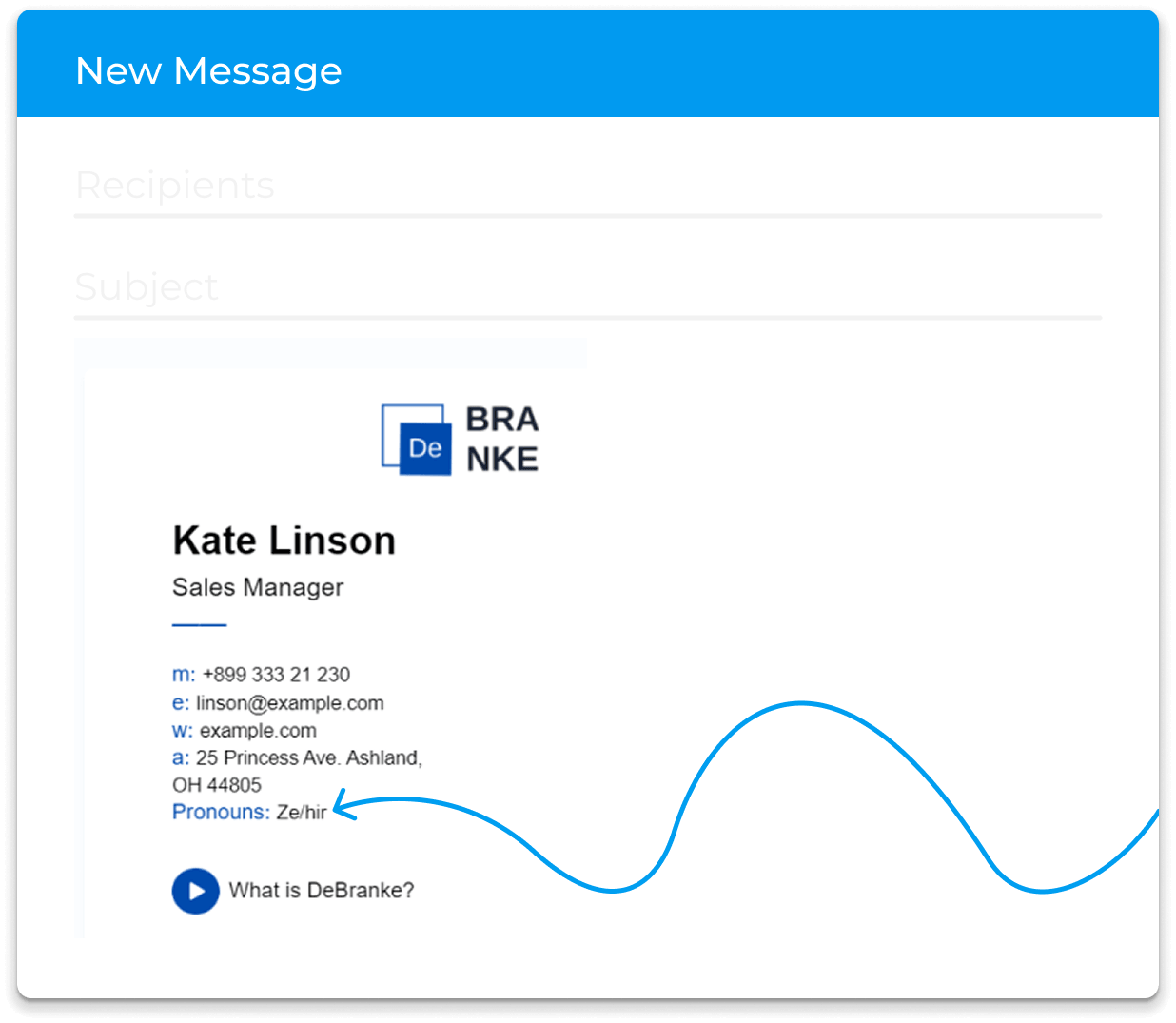
Avoid Assumptions and Misgendering
Names and job titles do not clearly show pronouns. Adding pronouns to your signature removes guesswork and helps avoid the discomfort of misgendering.
How to Ask About Pronouns Politely
Asking about pronouns politely
If someone hasn't shared their pronouns, you can ask politely. Here are some respectful ways to do so:
- "Please tell me your name, role, and if you're comfortable sharing your gender pronouns."
- "Could you remind me of which pronouns you use?"
- "What are your gender pronouns?"
Remember: It's normal to make mistakes sometimes, especially as this is a new concept for many people. The important thing is to be open to learning and correcting yourself respectfully if you make a mistake.
How to Add Pronouns to Your Email Signature
Here are some easy ways companies can introduce gender pronouns into their email communication:
Where to Put Pronouns in an Email Signature
All employees can add their preferred pronouns in email signatures. This ensures everyone has the opportunity to display their gender identity and avoids unintentionally using the wrong pronoun, which can be hurtful and disrespectful.
Companies can choose to add commonly preferred pronouns (e.g., he/him/his, she/her/hers, they/them/theirs) next to the name or job title in the signature.
How to Format Pronouns in an Email Signature
You can also add your preferred gender pronouns near your name at the end of the email. For example, “Best regards, Natalie (they/them/their).”
This placement offers another way to share your pronoun list while maintaining a traditional email signature format.
Add your pronouns after your job title or on a separate line below your contact information. Choose one style and use it consistently. It’s best to include them in your signature.
Related: “The Most Effective Ways to Structure Your Email Signatures to Kickass Your Business Communication.”
Should Pronouns Be Capitalized?
There are no strict rules for pronouns. You can use either “She/Her” or “she/her.” Match the capitalization style in the rest of your signature so the pronouns look intentional and fit in well.
Should Companies Require Pronouns in Employee Email Signatures?
No, it shouldn't be compulsory. Everyone adapts to new ideas at their own pace, and that's perfectly fine.
Here are some tips for introducing pronouns to your team in an optional way:
Talk to your team about why you think including pronouns supports inclusivity, and let everyone share their thoughts and concerns. Explain that using pronouns in email communication is optional, and staff can choose to include them or not. Some people may be comfortable, while others may need more time to adjust.
If your company uses a central email signature management solution (like Newoldstamp), it usually makes it easier to add pronouns for those who choose to.

Pronoun Etiquette for Email Signatures: What to Do and Avoid
DO
- Keep it short, clear, and professional.
- Place pronouns next to names or titles for easy visibility.
- Respect colleagues who prefer not to share pronouns.
- Fix mistakes quickly and move on.
AVOID
- Requiring all employees to share their pronouns is not appropriate.
- Using long or unusual lists in email signatures can create confusion.
- Don’t assume someone’s pronouns based on their name or appearance.
- Respect everyone’s choice to include or leave out their pronouns, and avoid making it a public issue.
Using the same pronouns in your emails is more important than using fancy words. Make sure your email signature pronouns feel natural and not awkward.
Pronouns in Email Signature: Examples and Formats
Wondering where to add your gender pronouns in your email signature?
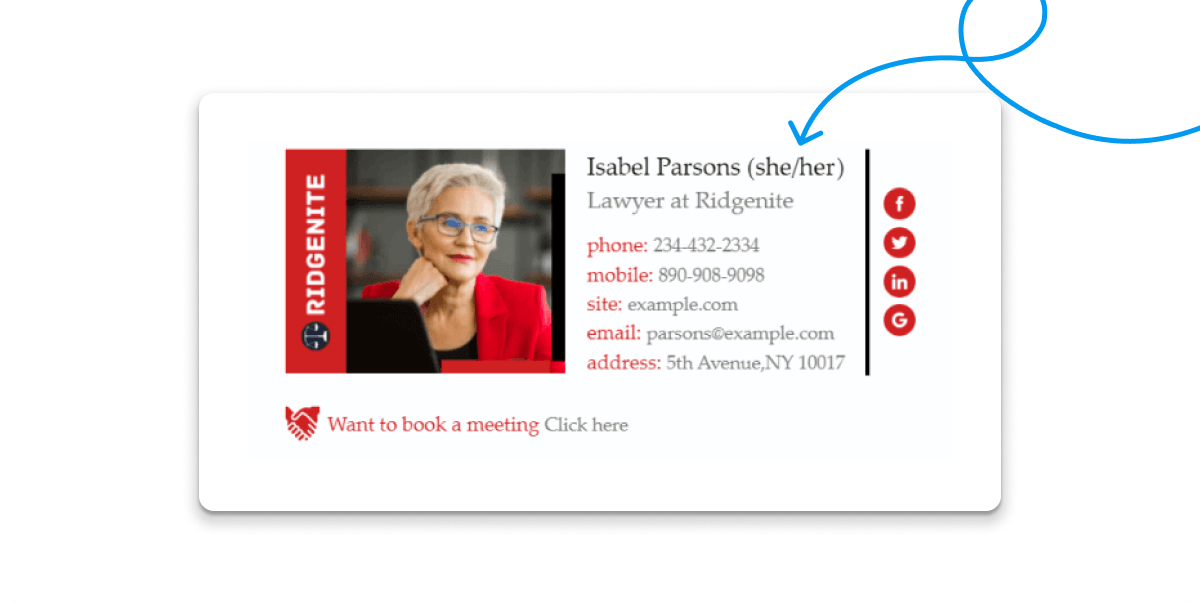
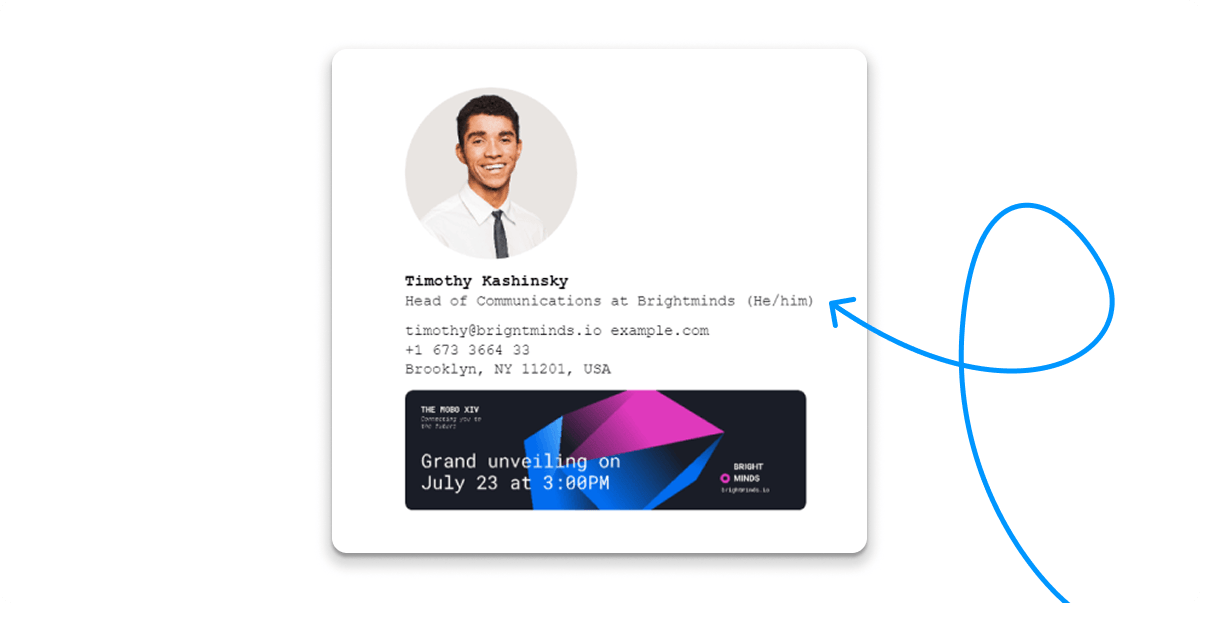
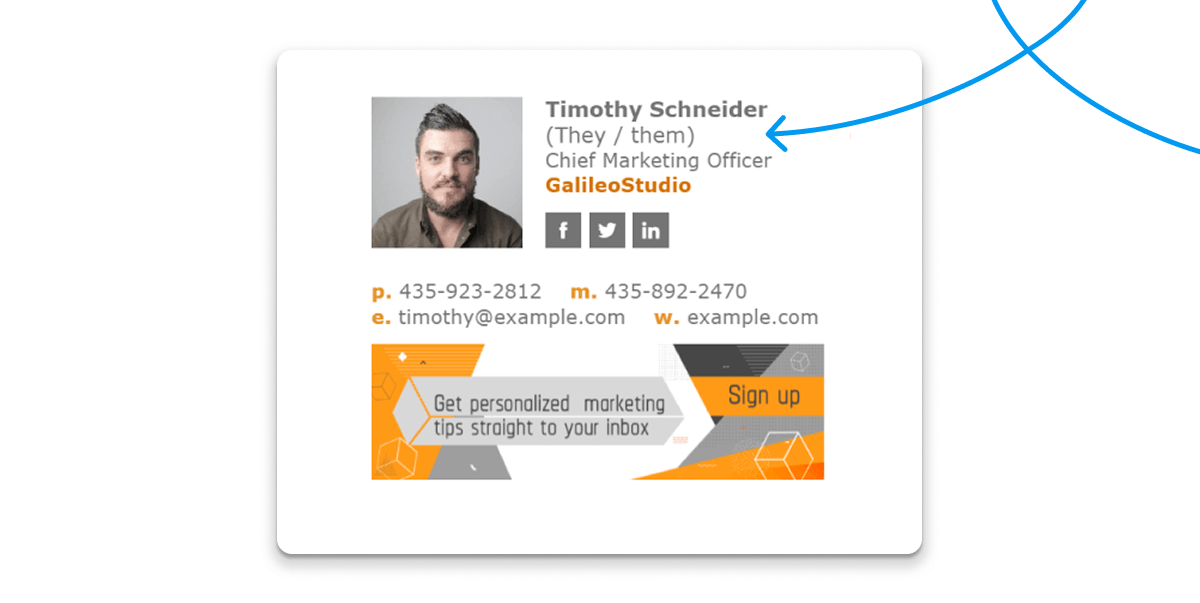
Here are five examples of how you can effortlessly incorporate your pronouns into your email signature:
- Next to your name
- After your job title
- On a separate line after your name
- Below all your contact information
- On a separate line after your job title
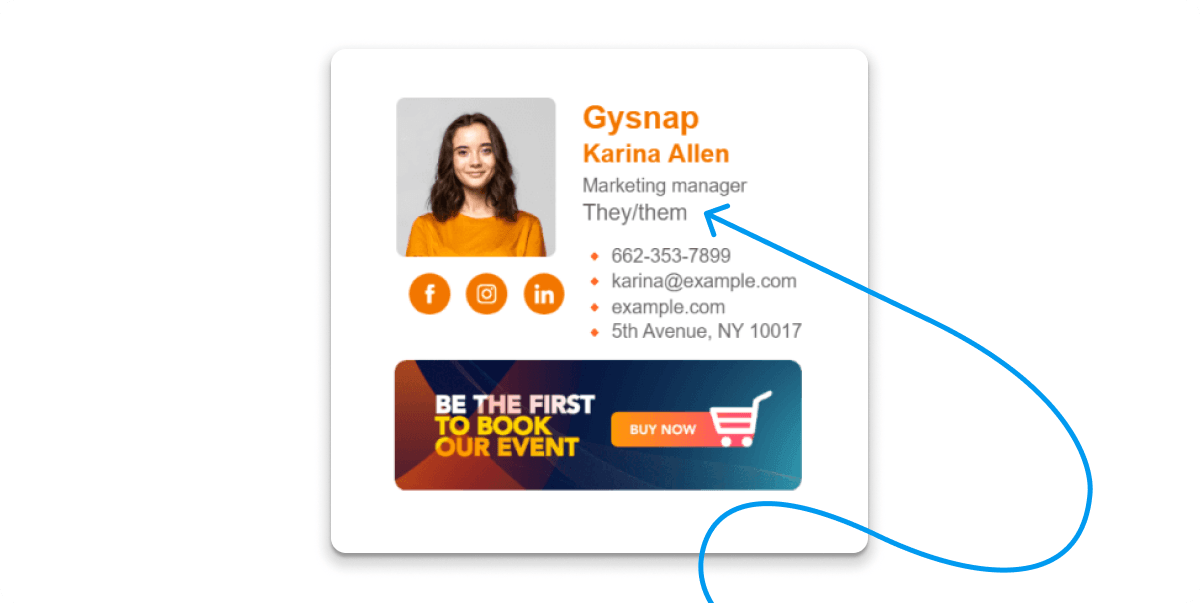
By incorporating pronouns, you contribute to creating a more welcoming and respectful environment in professional email communication.
Bonus tips:
- Choose the placement that best fits your signature style.
- Be consistent within your company if you have a large team.
- Encourage, but don't require, your employees to add pronouns to email signatures.
Common Pronoun Formats: She/Her, He/Him, They/Them
These three sets cover most professional signatures. You can use the full set (she/her/hers) or the shorter version (she/her); both are acceptable.
Here is a clear pronouns in email signature example:
|
Format / Placement |
Example |
|
Next to name (parentheses) |
Jane Doe (she/her) |
|
Next to name (middle dot) |
John Doe · he/him |
|
After job title |
Alex Smith, Marketing Manager – they/them |
|
Separate line under name |
Sam Rivera they/them |
|
Below contact details |
Best regards, Taylor Kim they/them |
How to Add Pronouns to Company Email Signatures with Newoldstamp
Newoldstamp is an email signature generator that makes it easy for businesses of all sizes to manage their company email signatures, including adding preferred gender pronouns alongside other important information like contact details and personal details.
Here's how Newoldstamp simplifies the process:
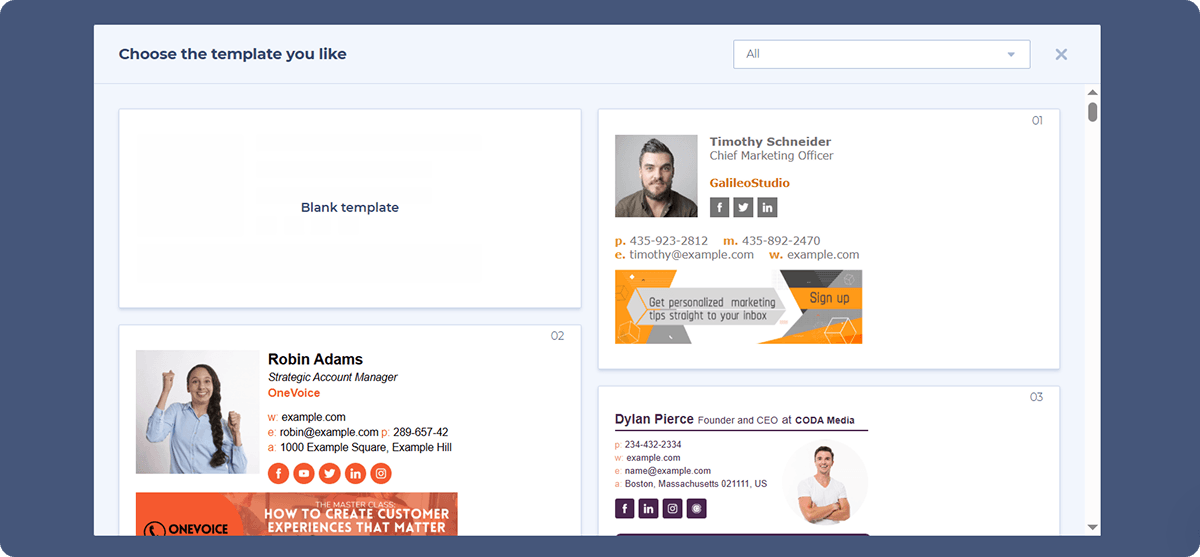
- Choose an email signature template: Select a template you like from Newoldstamp's library or create your own custom template using the drag-and-drop editor.
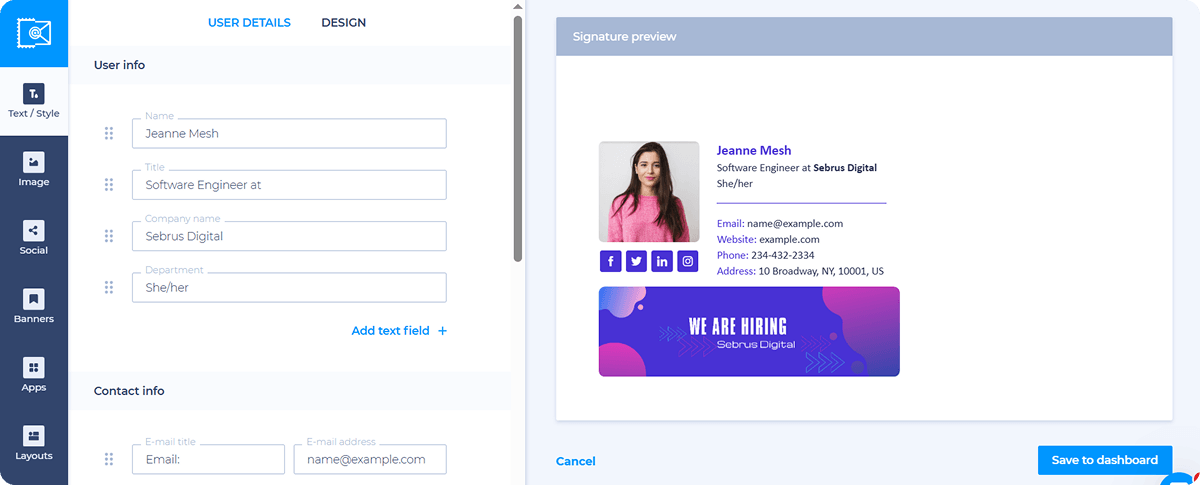
- Add a pronoun placeholder: Within the template, designate a specific location where pronouns will be displayed, such as next to your name or below your job title.
- Apply changes company-wide: Newoldstamp offers seamless integration with major platforms like Google Workspace, Microsoft 365, and Exchange, ensuring automatic updates across your entire company's email signatures. This solution is also compatible with popular email clients like Gmail, Outlook, Thunderbird, and Apple Mail, guaranteeing company-wide consistency.
Adding pronouns to email signatures across an organization becomes straightforward with a central management solution.
Conclusion
More and more companies are encouraging employees to include gender pronouns in their email signatures. This new practice helps reduce misgendering and is an essential strategy for inclusivity.
It brings awareness to something that lots of people might not have thought about before.
Do you want to start practicing these values already? Create your new email signature and share personal gender pronouns easily and professionally.

